Pictogram treasure hunt: pupils find QR codes and uncover a word
A free tool to set up a treasure hunt around the school: you create stops with a clue, print a QR poster for each one, and teams look for them with a tablet until they uncover a secret word and the final message.
Who it's for
For any teacher who wants a lively activity around the school or at home: pupils look for hidden posters, read clues with pictograms and voice on the tablet, and work as a team to form a secret word. It suits every level, including reception classes and special education.
How to use it
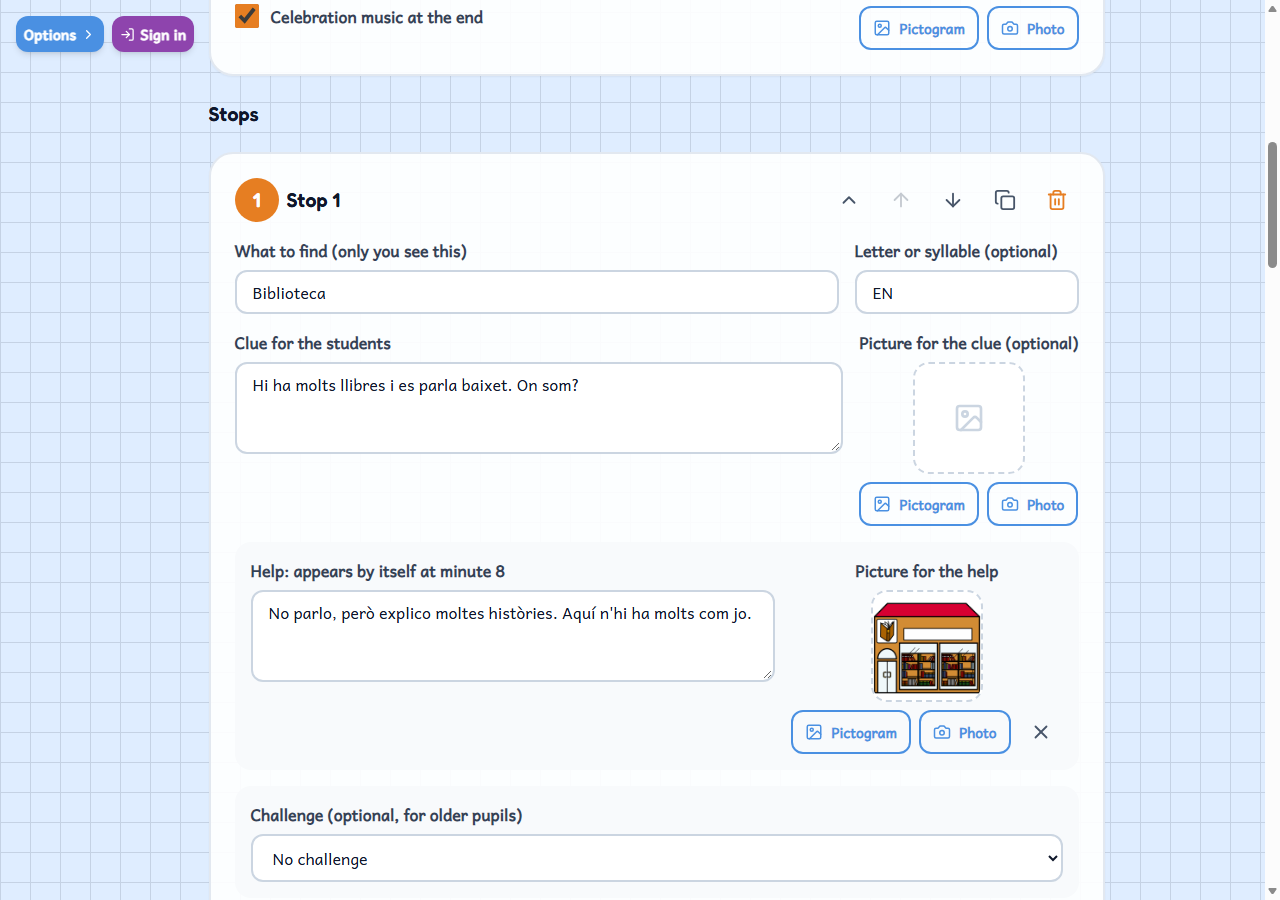
- Add the stops: for each one write the clue (with a photo or pictogram if you like) and, if you want, a challenge.
- Print everything at once: your sheet, one per team and a QR poster for each stop. Hide the posters.
- Play on tablets (scanning the QR codes or typing what the poster says) or put it in the class to assign teams and validate.
Variations
- Each stop can carry a challenge for older ages: a written question, choosing between options, a free task, a photo or a voice recording. Photos and audio stay on the tablet and never go up to your account.
- The order can be fixed or rotated by team, with a total time and a hint that appears after a few minutes. The clue is read aloud and each stop gives a letter or syllable to form the word.
- No tablets or no camera: everything can be printed on paper, with the answer sheet, and the team writes down what each poster says.
- Signed in, you put it in a class: assign the teams, follow their progress, validate and print the diploma, and the pupil keeps «Gimcanes superades». You can also share it with a link or a QR.