
Pictogram quiz for the classroom
A free quiz game to play with the whole class: the teacher builds it with pictograms, images or video, pupils answer on a tablet and the board shows how the game is going.
Who it's for
For any teacher who wants to review vocabulary, a topic or a unit in a way pupils experience as a game. With pictograms in the questions and the answers, pupils who cannot read well yet, or who are still learning the classroom language, can play too. There is nothing to mark: the app counts the points.
How to use it
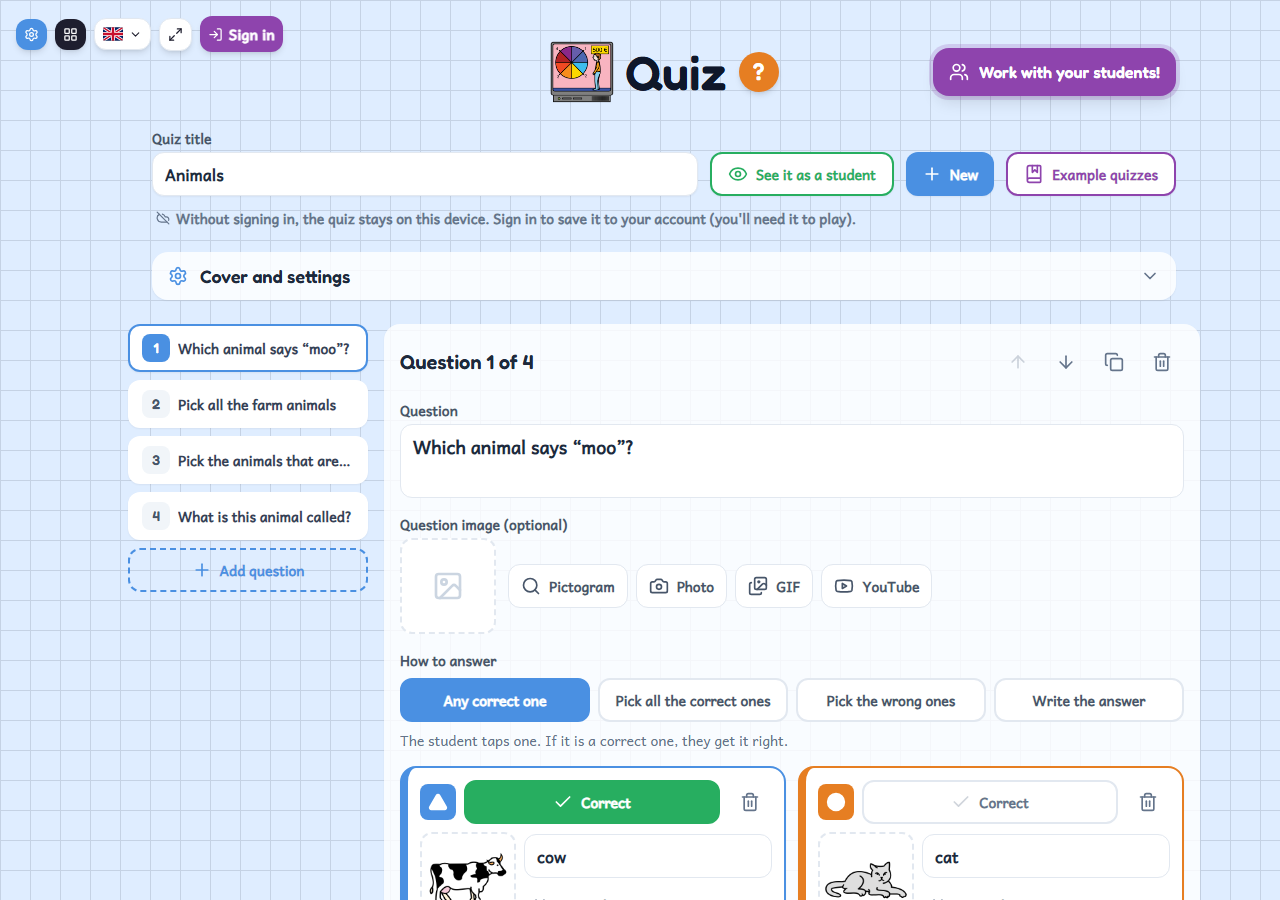
- Write the questions, with an image or a pictogram if you like, and tick which answers are correct.
- Give the quiz a title so it is saved to your account, and put it in the class.
- Open the waiting room on the board: pupils join from their tablets and answer, and the results show on the screen and in My classes.
Variations
- Four ways to answer: any correct one counts, pick all the correct ones, pick the wrong ones, or write the answer.
- Each question can carry images, pictograms, a GIF or a YouTube video (the video shows on the board), plus a time limit and points if you want.
- You can play in teams: pupils are split into teams and each team gets the average of its members' points.
- Without signing in you can build the quiz, try it with “See it as a student” and browse the “Example quizzes”; to play it with the class you need to sign in.