Free AAC communicator with pictograms
A free pictogram communicator with no sign-up: the pupil taps pictograms and the app says the sentence out loud. The teacher sets it up to measure, sheet by sheet.
Who it's for
Augmentative and alternative communication (AAC) for special education pupils who do not speak yet, or who speak with difficulty. It can also help in reception classes while the pupil does not yet have the language of the classroom.
How to use it
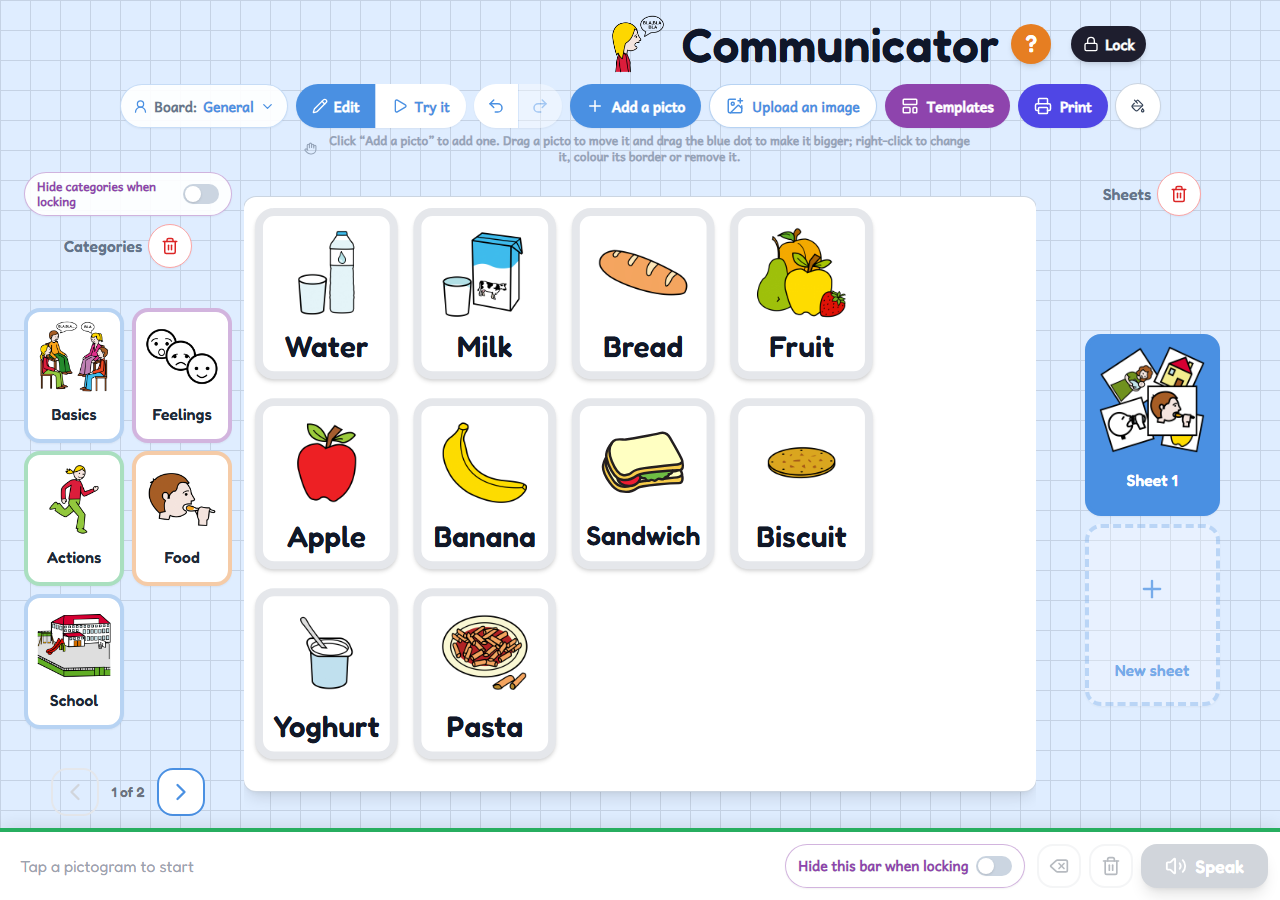
- Prepare the sheets: choose a category (Basics, Feelings, Actions, Food, School...) or add pictograms one by one, and place them wherever you like.
- Press «Lock» and hand the tablet to the pupil: they tap the pictograms to build a sentence.
- With «Speak», the app says the sentence out loud for them.
Variations
- Each pupil can have their own board, with their own sheets.
- You can upload your own images (photos of the family, the class, objects at home) and use them as pictograms.
- Ready-made sheet templates (category, verbs, feelings, choose between two, first and then, five-step sequence...) and the option to print the sheets on paper.
- When you lock it, you can hide the categories so the pupil only sees the sheet you prepared, and the sentence bar too.